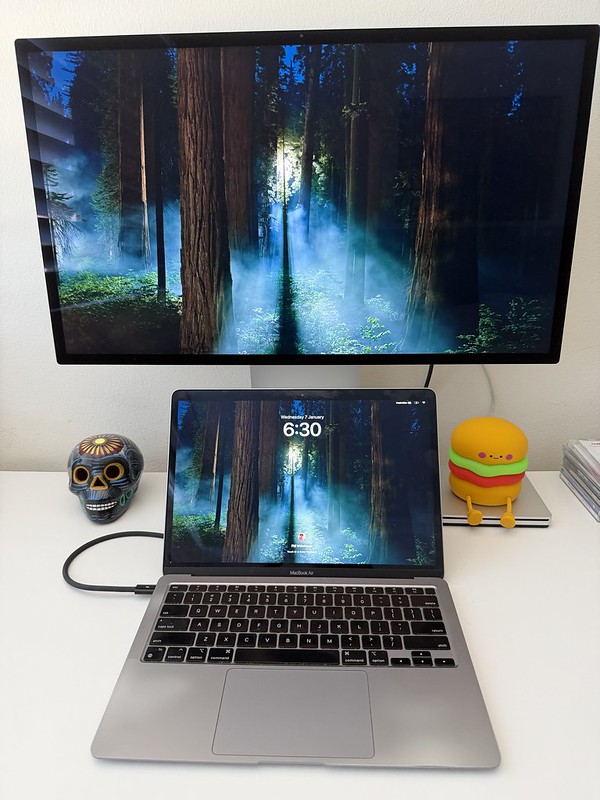
The Superdrive lives on!
If you have a small desk and you want to play CDs there while you work, you have two practical options - buy a new system (mini or micro) or buy a second hand one. Having bought three second hand systems, none of which lasted more than a year, I explored buying a new system - but that didn’t work out for reasons I won’t bother you with.
BUT then it occurred to me there was a third option! I could get one of those old Mac Superdrives that came out when Apple removed CD/DVD drives from their laptops. The forums all indicated that it wouldn’t work with my MacBook Air M1 - but they were wrong. The forums also said it couldn’t be connected to my Mac Studio display - but again they were wrong (so long as my MacBook Air was also connected to the display of course).
So, I can report in SEO friendly terms that you can connect a Superdrive to a MacBook Air M1 so long as you have a USB-A to USB-C adaptor. It works just fine. And if you also have a Mac Studio display, you can plug the Superdrive into the back of that to the same effect. The CD inserted into the drive will appear on the desktop, and the system settings menu expands so you can choose defaults like opening the Apple Music app when a CD is inserted, as well as enabling the eject icon to appear in the top menu bar for easy ejection.
Total cost: $20 for the Superdrive, $9 for the USB adaptor, great sound quality due to the Studio Display speakers = Happy Phil.